Home › Compatible phones
Which phones can run Onira offline?
Updated
Onira can write every session on your phone itself, with no connection and nothing sent anywhere. That takes a reasonably powerful phone: here is which ones, how to tell, and what happens on the others.
The short answer An Android phone with about 6 GB of memory (RAM) or more, and roughly 2 GB of free storage for a one-time download of the AI model (1.7 GB). On those phones the session is written on the device, in airplane mode if you like, and what you type never leaves it. On lighter phones Onira offers Onira Cloud: the session is written on Onira's own server, only if you agree, and the text is not kept.
Why memory matters more than speed
The model that writes your session has to sit in the phone's memory while it works. On a 6 GB phone it takes about 1.6 GB while writing and is unloaded as soon as the last part is written, so the session then plays with the memory free again. Below that, Android would start closing apps, Onira included, in the middle of a session.
Onira checks the phone's memory itself; there is nothing to configure. It was tested on a 6 GB Samsung Galaxy S20 FE, an older mid-range phone, which writes a full session comfortably. The engineering details are in how we run an AI model on a phone.
How to check your phone
You can look it up, or simply let Onira decide.
- Open Settings, then About phone: the amount of RAM is listed there (on some brands under Device specifications or Hardware).
- 6 GB or more: Onira can write your sessions on the phone, offline.
- 4 GB or less: ready-made sessions work as usual, and personalized ones go through Onira Cloud, after you agree.
- Not sure? Start a personalized session: if the phone cannot run the model, Onira tells you and offers Onira Cloud instead.
What happens the first time
The first time you start a personalized session, Onira asks once whether to use Onira Cloud. Choose “Keep it on my phone” and the model downloads (1.7 GB, best on Wi-Fi), then every session is written on the device. Choose “Use the cloud” and the session starts at once without the download. You can change your mind later in Settings.
Ready-made sessions never send anything and work on every phone.
Onira Cloud, on the other phones
What is sent: the theme, the app language and the words you typed, over an encrypted connection to Onira's own server, which writes the session and sends it back. The text is not stored and there is no account. A short video ad pays for each cloud session. Details are in the privacy policy.
Try it tonight
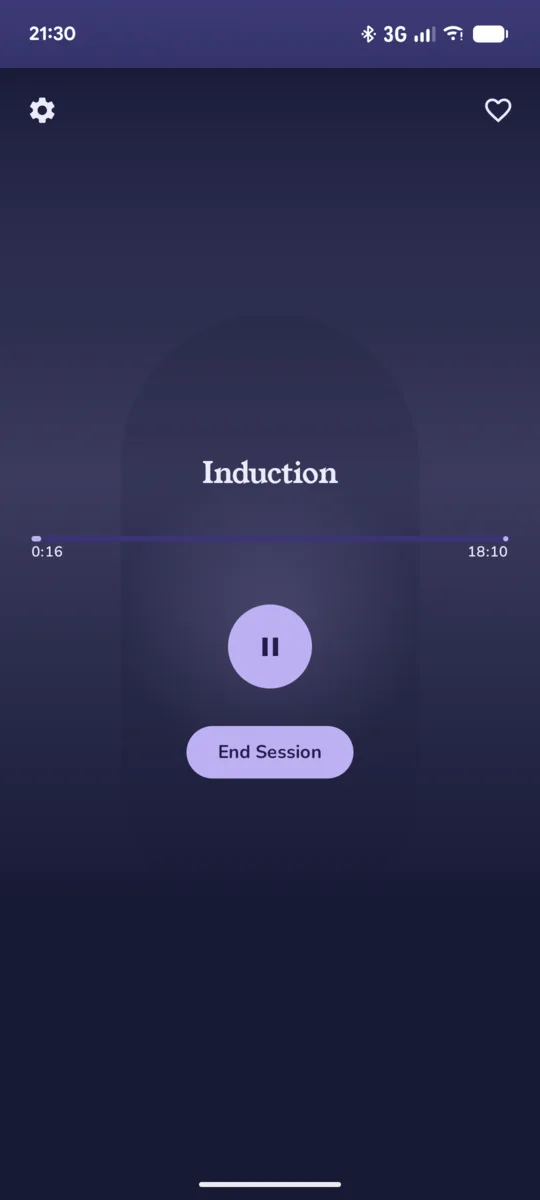
The session narrates itself, from induction to a clear return.

Free, no account, no subscription. One-time purchase to remove ads.
Common questions
My phone has 4 GB of RAM. Can I use Onira?
Yes. Ready-made sessions work as on any phone, and personalized sessions are written by Onira Cloud, if you agree to it.
Do I need an internet connection?
Once, to download the model and the narration voice. After that, on a compatible phone, sessions are written and narrated offline.
How much space does it take?
About 1.7 GB for the model and 80 MB for the narration voice of your language.
Is there an iPhone version?
Not yet: Onira is an Android app.
Private by design
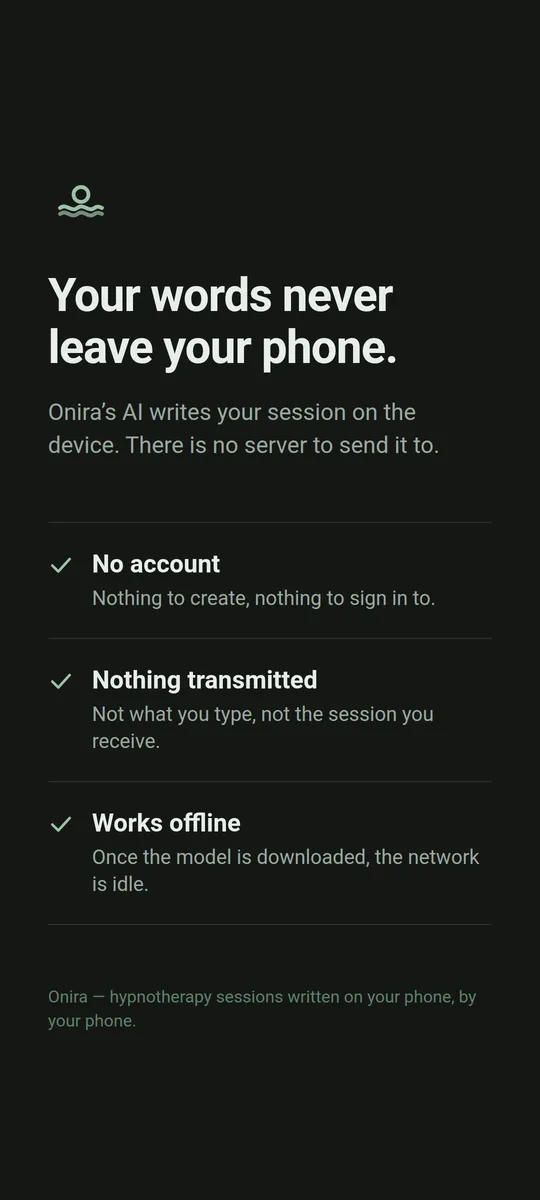
Everything can stay on your phone, if your phone can run the model: Onira runs it on the device, offline, and then the theme you pick, the words you type and the session you receive are never uploaded. If you prefer, Onira Cloud writes the session on Onira's own server instead, only after you agree, and the text is not stored. Either way there is no account.
Not a medical treatment
Onira is a relaxation and self-hypnosis tool. It is not therapy, not medical or psychiatric advice, and not a substitute for professional care or emergency services. If you are in distress or in danger, contact a local crisis line or emergency number.
What a session works on
- AnxietyLoosen the grip of anxious thinking and settle the body.
- SleepWind down a busy mind and let sleep arrive on its own.
- ConfidenceRehearse being the version of yourself you already know how to be.
- StressCome down from a demanding day and recover properly.
- Quitting smokingSupport a decision you have already made, craving by craving.
- FocusSettle a scattered mind before work that needs your attention.
- WeightWork on habits and the relationship with food, not on rules.
- FearFace the flight, the drive or the height with a rehearsed calm.
- MemorySettle into the state where studying actually sticks.
- MotivationStart the thing you have been circling for a week.
- Nervous habitsInterrupt nail biting or jaw clenching before it runs.
- PainEase the bracing and the dread that make pain louder.
- IBSCalm the gut-brain loop that keeps flare-ups going.
- Emotional recoverySettle after something hard, without reliving it.
- AngerTake the heat out of the moment before you react.
- BurnoutRecover a little ground when work has emptied you out.
- Waking at nightFall back asleep after waking at 3 a.m.
Questions people ask
- Falling asleepThe method, step by step, for the nights your mind will not stop.
- Hypnosis vs meditationTwo states, two aims — and which one fits what you want tonight.
- Does it work?What the evidence supports, what it does not, and who it fails.
- Street hypnosisReal, not mind control — and the same mechanism works on yourself.
- Is it safe?Safe for most people, with a short list of real exceptions.
- Learning itWhat to practise, in what order, and how long it really takes.
- Running an LLM on a phoneHow Onira writes a session on the phone itself, with the measurements.
- AI hypnosis apps comparedOnira, Hypnothera, InTheMoment and Hypnova: free tier, account, offline, languages.
- Onira vs HypnotheraCredits or no credits, an account or none: the differences, checked.
- Onira vs InTheMomentTwo sessions a day or no limit, online or on the phone: the comparison.
- Onira vs HypnovaA large library with credits, or sessions written without counting: the comparison.